Telkom Kenya has announced that it will lay off about 500 redundant staff in a span of 30 days. This is in line with its restructuring plans. See presser, below:
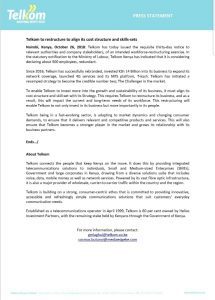
Telkom Kenya has announced that it will lay off about 500 redundant staff in a span of 30 days. This is in line with its restructuring plans. See presser, below:
Most phones come pre-installed with Android Device Manager, ADM, these days but if your phone does not have this App, do install it immediately. Android Device Manager is a Google App which lets you remotely lock and track your phone. It also has a handy feature to force your phone to ring.
After installing Android Device Manager, add it to your list of system administrators, so you can use it for magical things like erasing your phone if it has been stolen. We have already discussed on how to use ADM to find/erase your device.
Steps:
Note: By doing this you give ADM full control of your device. It now has full access to do nearly anything with your android smartphone/tablet.
This is an all-in-one app for securing your phone against theft or loss. Feature-wise, it beats ADM hands down. Most features are fully free, but you will need to pay for using the remote shutdown/restart feature as well as to take remote screenshots. As of now, Android Lost lets you try the Premium features free for a week.
You can fully control a lost phone by browser, or by SMS. Here is a
(small) list of everything Android Lost boasts to do, remotely:
Needless to say, if you can trust Android Lost enough to install it on your phone, locating a lost phone becomes child’s play.
Although there are ways that even Android Lost can fail, if, for instance you lose a phone that is out of charge and no one finds it. Also, If your phone has been stolen, and you have NOT hidden this app, you can wave goodbye any chance of using Android Lost to recover the device.
How to use Android Lost:
Android Lost can be controlled either through the web interface or by SMS. Just log into the web interface with your Google account and go on ahead to the Controls tab.
The interface clearly does not win any points for design, but it does pack several powerful features. The custom alarm is very interesting for sure. You can also set an overlay
message as well as a boot message for your lost phone ‘in-case a friendly guy finds the phone‘ as the Android Lost website puts it.
A plethora of excellent features, but ultimately requires you to pay for the pro version if you actually want to use any of the more useful features like remotely locking/wiping your SD card, or taking pictures with your device camera. This app has most of the features Android Lost has, although it cannot turn off the phone’s Wi-Fi connections or GPS.
A free App to help locate your android smartphone. It tends to work better with older versions of android than some other apps. The developer also has a Pro version of the app called ‘Find My Phone – Anti-Loss Pro’ which offers an ad-free experience with some extra features like remotely tracking the phone battery usage.
Most Antivirus and phone security apps also include features to help track, and erase a stolen phone. These are mostly paid apps which claim to be all-in-solutions for all your phone security issues. If you’re interested in this category, only use apps which have been released from trusted companies, because after all, the best way for a hacker to spy
on you is by having you install an app that claims to protect you. We will not go into these apps here as they form an entire app category on their own.
In the end, luck plays a big part in recovering a lost or stolen phone. If your phone has been stolen, it is usually not wise to directly confront the thief, or so most law enforcement agencies say.
You May also like:
Safaricom has provided an online portal where you can self update your SIM details and confirm your registration. You can now update your line from the comfort of your house. You do not need to visit the Safaricom house or shop.
Enter your primary phone number and accept the terms.
I have read and understood the privacy policy
CLICK HERE TO QUICKLY ACCESS THE PORTAL
Fast typing while using a computer keyboard is a common craving amongst computer users. But, for one to type and use the computer with a lot if ease then mastery of common keyboard shortcuts will come in handy.
Here is a list of common keyboard shortcuts that will enable you save tremendous time:
Ctrl + A – Select All
Ctrl + B – Bold
Ctrl + C – Copy
Ctrl + D – Fill
Ctrl + F – Find
Ctrl + G – Bold
Ctrl + H – Replace
Ctrl + I – Italic
Ctrl + K – Insert a hyperlink
Ctrl + N – New workbook
Ctrl + O – Open
Ctrl + P – Print
Ctrl + R – Nothing right
Ctrl + S – Save
Ctrl + U – Underlined
Ctrl + V – Paste
Ctrl W – Close
Ctrl + X – Cup
Ctrl + Y – Repeat
Ctrl + Z – Cancel
F1 – Help
F2 – Edition
F3 – Paste the name
F4 – Repeat the last action
F4 – When entering a formula, switch between absolute / relative references
F5 – Goto
F6 – Next Pane
F7 – Spell Check
F8 – Extension of the mode
F9 – Recalculate all workbooks
F10 – Activate Menubar
F11 – New graph
F12 – Save As
Ctrl +: – Insert the current time
Ctrl +; – Insert the current date
Ctrl + “- Copy the value of the cell above
Ctrl + ‘- Copy the formula from the cell above
Shift – Offset Adjustment for Additional Functions in the Excel Menu
Shift + F1 – What is it?
Shift + F2 – Edit cell comment
Shift + F3 – Paste the function into the formula
Shift + F4 – Search Next
Shift + F5 – Find
Shift + F6 – Previous Panel
Shift + F8 – Add to the selection
Shift + F9 – Calculate the active worksheet
Shift + F10 – Popup menu display
Shift + F11 – New spreadsheet
Shift + F12 – Save
Ctrl + F3 – Set name
Ctrl + F4 – Close
Ctrl + F5 – XL, size of the restore window
Ctrl + F6 – Next Workbook Window
Shift + Ctrl + F6 – Previous Workbook Window
Ctrl + F7 – Move window
Ctrl + F8 – Resize Window
Ctrl + F9 – Minimize the workbook
Ctrl + F10 – Maximize or Restore Window
Ctrl + F11 – Inset 4.0 Macro sheet
Ctrl + F1 – Open File
Alt + F1 – Insert a graph
Alt + F2 – Save As
Alt + F4 – Output
Alt + F8 – Macro dialog
Alt + F11 – Visual Basic Editor
Ctrl + Shift + F3 – Create a name using the names of row and column labels
Ctrl + Shift + F6 – Previous Window
Ctrl + Shift + F12 – Printing
Alt + Shift + F1 – New spreadsheet
Alt + Shift + F2 – Save
Alt + = – AutoSum
Ctrl + `- Toggle value / display of the formula
Ctrl + Shift + A – Insert the argument names in the formula
Alt + down arrow – automatic view list
Alt + ‘- Format Style Dialog
Ctrl + Shift + ~ – General Format
Ctrl + Shift +! – Comma format
Ctrl + Shift + @ – Time Format
Ctrl + Shift + # – Date Format
Ctrl + Shift + $ – Currency Format
Ctrl + Shift +% – Percentage Format
Ctrl + Shift + ^ – Exponential Format
Ctrl + Shift + & – Place the border of the outline around the selected cells
Ctrl + Shift + _ – Delete the border of the contour
Ctrl + Shift + * – Select the current region
Ctrl ++ – Insert
Ctrl + – – Delete
Ctrl + 1 – Format of the cell dialog
Ctrl + 2 – Bold
Ctrl + 3 – Italic
Ctrl + 4 – Underlined
Ctrl + 5 – Strike through
Ctrl + 6 – Show / Hide Objects
Ctrl + 7 – Show / Hide Standard Toolbar
Ctrl + 8 – Toggle Outline symbols
Ctrl + 9 – Hide lines
Ctrl + 0 – Hide columns
Ctrl + Shift + (- Show lines
Ctrl + Shift +) – Show columns
Alt or F10 – Activate the menu
Ctrl + Tab – In the toolbar: Next toolbar
Shift + Ctrl + Tab – In the toolbar: Previous toolbar
Ctrl + Tab – In a workbook: activate the next workbook
Shift + Ctrl + Tab – In a Binder: Activate Previous Binder
Tab – Next tool
Shift + Tab – Previous tool
Enter – Make the order
Shift + Ctrl + F – Font drop-down list
Shift + Ctrl + F + F – Format Cell Dialog Box Font Tab
Shift + Ctrl + P – Point Size Drop-down list.
Also read;
Airtel offers 4G sim cards, and now you can easily get an Airtel line for your residence or office. Want to get your Airtel Simcard registered online? Here are some easy steps that help you learn how to register the Airtel line online. It’s easy to execute the registration process, and you can even speak to the customer care executive who helps you successfully carry out Airtel sim registration.
Here is a brief view of the documents Kenyan citizens need to submit:
After you submit all the necessary documents, you can start the registration process, and it’s time to activate your Airtel Simcard in Kenya. Are you confused about how to submit these documents? It’s easy to contact the customer support executive who gives you detailed guidelines. Hence, you can eliminate all the worries by learning how Airtel Kenya brings beneficial solutions.
Here are the simple steps following which you can easily get your Airtel line registered:
Once you know how to register the Airtel line online, you will get rid of all confusion. It helps you carry out Airtel sim registration without visiting the Airtel store. Following these steps, it takes only a few minutes to complete the registration process. Still, if you face confusion, you can speak to Airtel’s representative, who will clear your doubts. Hence, you can easily handle the registration process, and it’s time to enjoy Airtel services.
Users may find it difficult to register an Airtel sim card online. If the online portal doesn’t work for you, it’s always possible to visit the customer service centers where you can register your Airtel line. It’s good to purchase a sim from a genuine store, as it has a high chance of getting an already registered one.
Want to know the status of registered sim cards on your phone? Checking Airtel Simcard status using USSD code is the most common method. There is no need to get a network connection, and you can easily check whether your Airtel line is registered. Below mentioned the steps following which you can easily check Airtel Simcard registration details on your phone:
It’s the simplest way to check the sim card’s registration status, and you can start enjoying the smarter features of Airtel. Once you receive the SMS on your mobile, you will know whether your sim card is registered or not. If you find the sim card is not registered, you have to follow the steps mentioned above, and you will get a clear view of how to register the Airtel line online.
Are you worried because your Airtel line is not registered or requires a registration update? No worries! The Communication Authority of Kenya provides effective solutions, and you can physically visit the customer care centers. Also, you can find the option to submit your details online, and the steps above reveal how to register Airtel line online. So, you can get your Airtel line registered, and you can enjoy calling and internet service on your registered mobile number.
Have you lost or damaged your Airtel sim card? Blocking the sim and visiting an Airtel store with valid documents makes it easy to get a new sim. It helps you to replace the sim, and you can restore the connection. Once you get the new sim card, you may need to register it online to activate the number.
The mobile number will be the same; thus, you will lose any contacts. Registering the Airtel line online is easy, and you must follow the same steps. These steps show how to register the Airtel line online, and you can eliminate all confusion. After completing the registration, you can check the status online, which helps you eliminate any confusion.
Once you get the sim card replaced, you can avoid fraudulent activities and keep using the same number. Before replacing the lost sim card, it’s important to call the Airtel customer care center and inform them about the loss. So, they will block the old sim card, and you can easily get a duplicate one. Once the sim is blocked, no third person or hackers will get access to vital documents, and you will be completely safe.
Airtel’s customer care number in Kenya is 121. Once you dial the number, you can speak to the representative who will help you get answers to all your queries. Hence, you can go ahead and register or replace your Airtel line, and it becomes easy to communicate.
Avoid Disconnection update your SIM registration details as per Communications Authority of Kenya

Please enter your mobile number (7** or 10**)

Kenya is the leader in the technological revolution, and the changes have been felt not only within the country but across the continent and further than that.
Kenya’s tech scene, often nicknamed “Silicon Savannah,” is vibrating with startups, innovation hubs, and tech parks that are shaping the future of technology. This article takes a look at the many recent technological breakthroughs and innovations springing from Kenya, demonstrating the vibrancy and potential of this emerging tech powerhouse.
Kenya’s global mobile technology platform is very famous. This is mainly because of the mobile payment system, M-Pesa. Nonetheless, the innovation continues.
Kenya-based startups are innovatively using mobile technology to address complex problems, from access to healthcare education to agricultural productivity and financial inclusivity. Businesses such as Hello Tractor are using a mobile application to link farmers with tractor owners in order to improve agricultural practices and increase yields.
On the other hand, M-TIBA is transforming healthcare by providing users with a platform to save, send, and spend funds for medical treatment using their mobile phones, helping to make health services available even in the most remote regions.
The digital revolution in Kenya goes beyond mobile payments and fintech solutions, but it’s also changing the traditional financial markets, including forex trading. Justmarkets‘ platform gives Kenyan traders the ability to trade in the global foreign exchange markets from their web browsers directly without downloads or installations.
Justmarkets provides an MT4 WebTrader platform that is user-friendly and simplifies forex trading; thus, it becomes an easy trading tool for both beginners and experienced traders.
This move to digital platforms is turning financial trading into a democratic process where local investors are able to trade globally with ease and speed. User-friendly trading platforms are key to promoting financial literacy and inclusion; they enable Kenyans to get into new investment options and diversify their investment portfolios.
E-commerce is the other area where Kenya is making a lot of significance. Online marketplaces such as Jumia and Kilimall are increasingly getting Kenyan people to shop online, where one can find anything ranging from daily groceries to electronics.
These platforms are not only changing consumer habits but also granting businesses, especially the small ones, a wider market reach. The retail industry in Kenya, as ICT penetration keeps on increasing, will undergo a great transformation with e-commerce at the helm of the revolution.
The sustainability of Kenya is shown in its acceptance of renewable energy solutions. The country is home to the largest wind power plant in Africa, the Lake Turkana Wind Power Project, and the Geothermal Development Company, which is exploiting the geothermal resources of the Rift Valley. The programs not only address Kenya’s energy needs but also make the country a leader in green energy in Africa.
Through the promotion of renewable sources, Kenya is decreasing its carbon footprint and bringing economical and sustainable energy solutions that can be replicated in other countries.
The financial technology in Kenya is not only about M-pesa; it is also about the larger movement towards inclusive financial services. Fintech startups are using blockchain, artificial intelligence, and big data to provide services from microloans and insurance to investment opportunities for the unbanked and underbanked population.
Companies such as Branch and Tala are supplying micro-loans to people through smartphones and bypassing the barriers in conventional banking, enabling individuals and small business owners to grow.
Education technology in Kenya is democratizing learning by making it accessible and affordable. Startups are building platforms that provide digital content, online courses, and interactive learning tools in line with the Kenyan education system.
Eneza Education and Kytabu are the front runners, reaching millions of students across the country, most of them in rural areas, which is where quality education is most absent. Through SMS-based platforms and cheap digital content, these innovations close education gaps and train the next generation of Kenyans to be digitally literate.
The tech scene in Kenya is managed and promoted by the government. This project, the Konza Technopolis, a smart city, is among the initiatives intended to propel Kenya to the top in ICT.
Government policies are centered on upgrading the digital infrastructure as well, like ensuring internet availability and speed throughout the nation. The government, through technology and innovation investment, is setting a foundation for the digital economy.
The tech ecosystem in Kenya is a torch of innovation showcasing the might of technology to transform societies as well as the economy. Kenya’s startups, entrepreneurs, and developers have gone beyond creating products and services for the country.
They are presently creating solutions for global challenges and making a big difference all over the world. As Kenya continues to grow its human capital in technology and foster a creative culture, the future looks good for the African tech hub.

Hello customer,
Please upload images of both the front and rear faces of your national ID below.
Failure to do this will result in the blocking of your line & loss of the telephone number.
Here are the channels available on Star Times Nyota Bouquet:
GENERAL ENTERTAINMENT TV CHANNELS
RELIGION TV CHANNELS
MUSIC TV CHANNELS
MOVIES AND SERIES TV CHANNELS
SPORTS
NEWS TV CHANNELS
KIDS TV CHANNELS
Have you verified and updated your SIM registration details as per the regulations? You should not worry any more as Airtel has now made it easy for you to register it online.
Click here to update your SIM registration details by uploading a clear image of your ORIGINAL ID (front and back).
In line with the Communication Authority regulations, all telecommunication operators are required to have an image of the customer’s original identification document.
It is important to note that should your line not be registered as per the regulations, you risk having your line disconnected.
Should you also wish to confirm which lines are registered using your ID, Airtel has an easy way for you to do so. Simply dial *106#, select your ID type, then enter the respective ID number. You should get an SMS notification in a short while with the number(s) registered under your ID
Should the SMS mentioned above display lines that are not known to you, kindly visit the Airtel online portal for Sim card update.
Avoid Disconnection update your SIM registration details as per Communications Authority of Kenya.
Please enter your mobile number (7** or 10**)
KYC selfhelp platform (SMS & USSD based) helps customers find the nearest KYC registration location to them. This is to create ease of access to information on nearest KYC registration locations.
Service is available via
Customers that want to register their lines can access the nearest Airtel touch-point for assistance as regards Airtel product and services, and get a list of outlets nearest to them using the USSD or the SMS platform.
KYC self help platform is available to all customers (New and Existing).
FAQs
KYC Registration Points
Good news you can now Buy any @StarTimesKenya product online and get delivered to to anytime anyday . Visit : https://t.co/GeOrYf5sGH
And get yourself one For any assistance, contact them via 0719077077.
Also dial *483*38# from your mobile.
You can also get the TV and pay later. Visit Star Times Official Page at: app.lipalater.com/?ref=Startimes


Visit your nearest M-PESA agent outlet or Safaricom retail centre and present a mobile phone with a Safaricom SIM card and valid Identification document.
After successful registration, you will receive a confirmation message and a 4-digit M-PESA PIN sent by SMS .
How to activate M-PESA
On the SAFARICOM Menu:
After successful registration, you will receive a confirmation message with your balance.
Download the Safaricom App and access among other services, Fuliza M-PESA, Bill Manager and M-PESA Global.