Tag Archives: TSC online services

TSC Website link https://www.tsc.go.ke/

TEACHERS SERVICE COMMISSION, TSC, WEBSITE

Circulars   Manuals   Policies   Performance Management  

TSC

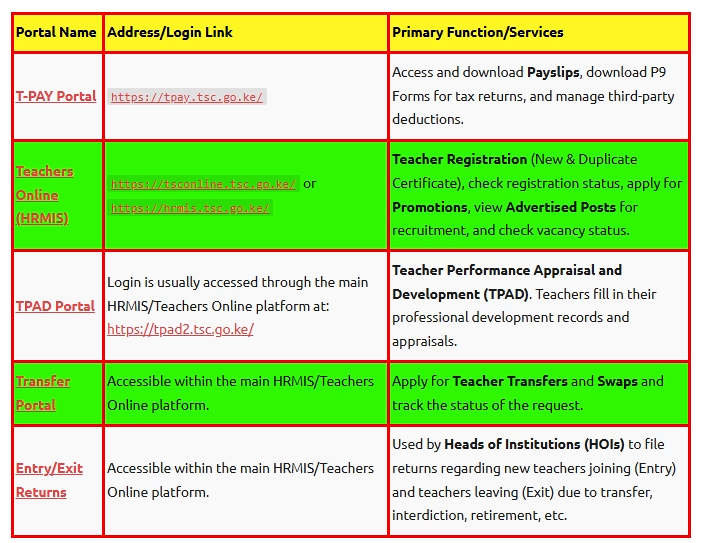
The TSC website (https://www.tsc.go.ke/) provides a number of services, online as captured in the table below;

S/N TSC ONLINE SERVICE ACCESS LINK
1 New Teacher Registration Click here to access the service.
2 Checking Registration Status Click here to access the service.
3 Application for Duplicate Certificate of Registration Click here to access the service.
4 TPAD (Teacher performance Appraisal) Click here to access the service.
5 Declaration of Income, Assets and Liabilities Click here to access the service.
6 TSC Downloads. Click here to access the service.
7 TSC Promotion adverts. Click here to access the service.
8 TSC Recruitment. Click here to access the service.
9 The Teachers Management Information System, TMIS, Portal.  Click here to access the service.
10 TPAD account creation, login and appraisal process Click here to get the service now.
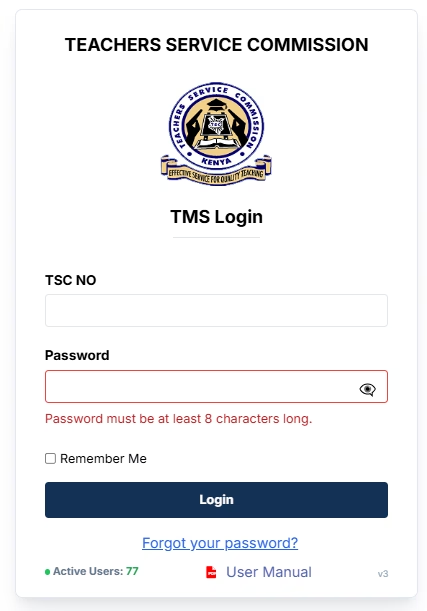
11 TSC online system portal login Click here to get the service now.
12 TSC payslips online;

Click here to get the service now.


TSC ONLINE SERVICES AND ACCESS

A number of TSC services are available, online, via the TSC Portals. Here is a list of TSC services that you can access online. Click each link to get the service, online;


About TSC

The Teachers Service Commission (TSC) of Kenya is an Independent Commission established under the Constitution of Kenya to manage human resource within the education sector. It is based in the capital city, Nairobi with offices in all the 47 Counties.

TSC: CHECK REGISTRATION STATUS

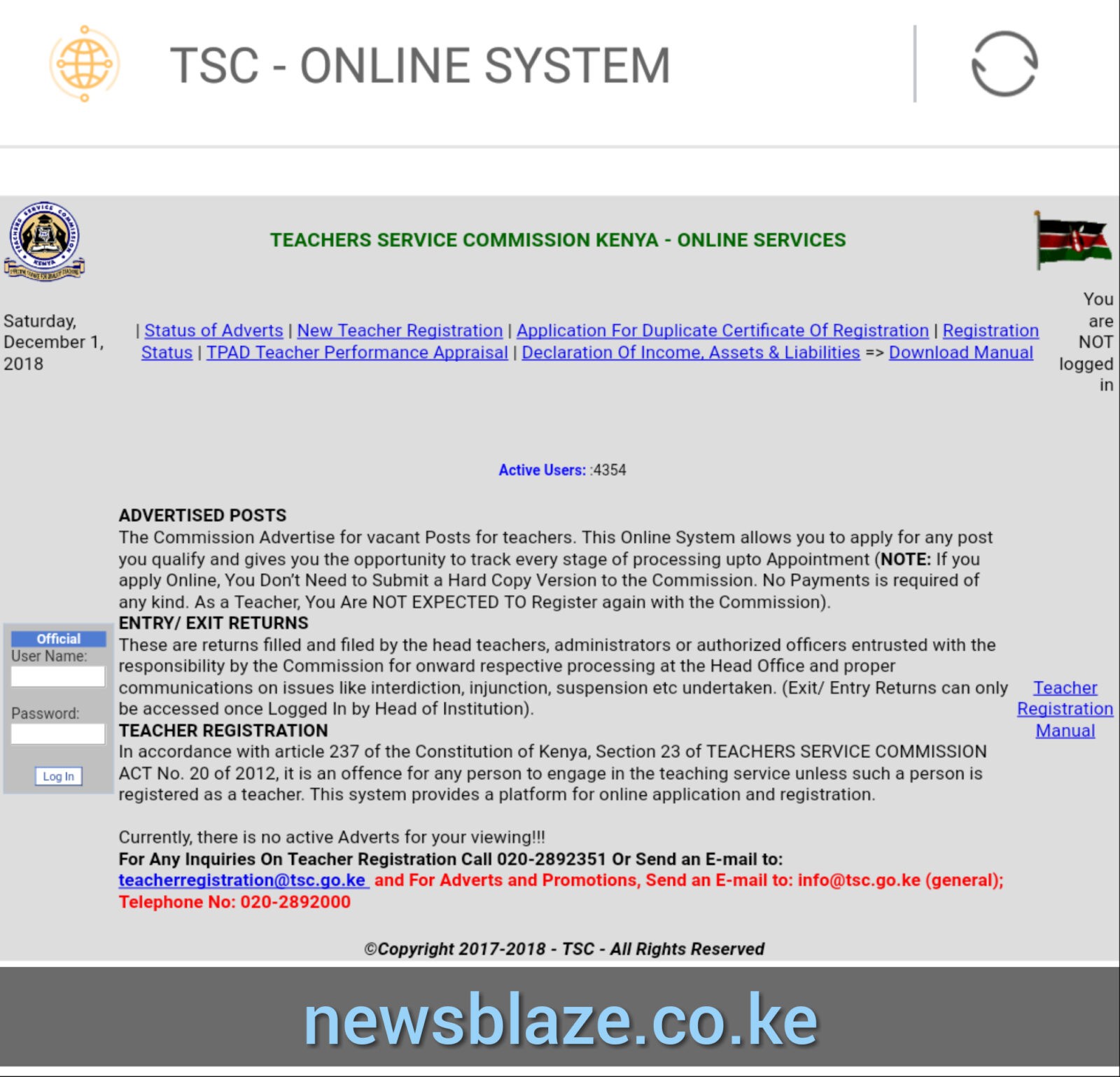
logo TEACHERS SERVICE COMMISSION OF KENYA ONLINE SERVICES


ALSO READ; How to check your TSC number online

tsc status check,
tsc registration status reset means,
tsc online registration,
tsc number registration status,
how can i check my tsc number online,
tsc online services,
tsc registration certificate,
tsc number download,

TSC pays teachers who participated in online RLM training, see the amount paid!

The Teachers Service Commission (TSC) has finally paid Principals, Head Teachers, Teachers and ICT Champions who undertook online training on Remote Learning Methodologies (RLM).

The training that was undertaken in five days saw Secondary school Principals trained first and were followed by two (2) teachers from every Secondary and primary schools countrywide.

The full day sessions ran from Monday  07/06/2021 to Friday 11/6/2021.

The training covered a number of content areas that included:

  • Concept & Delivery of Remote Learning
  • Learning Management System
  • Accessing Digital Content for Remote Learning
  • Pedagogies of Remote Learning
  • Assessment in Remote Learning
  • Assistive Technologies
  • Monitoring Remote Learning
  • Policy Framework Supporting Remote Learning
  • Role of Stakeholders in Remote Learning

Amount paid.

But, it is the amount paid by TSC that has caught the teachers by surprise. This is after the Commission decided to reimburse Sh940 to the teachers; to compensate the  bundles used during the online sessions.

The money was deposited to teachers’ bank and Sacco accounts; where the monthly pay is also disbursed.

According to the teachers who undertook the training, the amount paid by TSC on 21st July, 2021 is far much lower than what was consumed in form of the bundles.

“The Teams App (used for the online sessions) consumed Colossal amount of bundles. It is a pity that the Commission has only decided to reimburse a fraction of the amount spent”, complained one teacher.

Other teachers vowed never to participate in such trainings unless the payment terms are revealed before hand. But, with the Commission cracking the whip on teachers who fail to heed to its directives, the teachers would have limited options; than to just train.

Also read; Step by step guide for online TSC transfer application.

Quick TSC links

Current TSC Updates

Current TSC Adverts

T-Pay(Payslips)

TSC Forms

TSC Registration Status

TSC Job Application and Promotion Status

New Teacher Registration

TPAD- Teacher Performance Appraisal

Declaration of Income, Assets and Liabilities

Application for Duplicate Certificate of Registration

Wealth Declaration Manual

Pension Status

TSC Links

TSC Home

TSC Teachers Online

Access adverts, entry/exit returns and teacher registration services

Update Profile

Update biodata and additional documents

TSC TPAD

Access Teacher Perfomance, Appraisal & Development

Pension Status

View pension claims that have been delivered to the Treasury

T-PAY

Access payslips, P9 for tax returns and 3rd party services

TSC FAQs

Get answers to recurrent questions about general HR issues

De-registered Teachers

Approved Study Leave

TSC Returned Certificates

TSC Medical Scheme

TSC Downloads

TSC Commissioners

TSC Secretariat

TSC Functions and Mandate

TSC Structure/ Organogram

TSC Teacher Recruitment and Selection

TSC Transfers

TSC Determination of a discipline case

TSC Offences

TSC Teacher Registration

TSC Allowances

TSC Promotions

TSC Leaves Information

Teachers Email Activation

Contact Us.

TSC REGISTRATION STATUS CHECKER- SIMPLIFIED GUIDE


Enter ID number and search

Click here to quickly log in.

Reset Remarks History

TSC WEALTH DECLARATION 2023; FULL SETAILS

All teachers have been directed to fill Government wealth declaration forms from November, 2023 in new guidelines published in the Kenya Gazette.

A July 30, 2021 Kenya Gazette Notice signed by TSC CEO Dr Nancy Macharia spells out new requirements for filling the wealth forms in accordance with the Public Officer Ethics Act, 2003. Those who fail to comply risk punishment by the Ethics and Anti-Corruption Commission.

Dr Macharia says the Commission will review each declaration of income, assets and liabilities to determine if they adhere to the requirements of the Ethics Act.

“The Commission shall review the information in the forms to determine if the assets are disproportionate to the income or whether there are concerns of impropriety, conflict of interest or any other breach to the Ethics Act,” she says.

Related news;

 wealth declaration by TSC Teachers (Simplified Procedure, Circular, Deadline)

Wealth Declaration; online declaration of income, assets and liabilities

The process of wealth declaration; How to easily declare assets, liabilities and incomes online by TSC teachers

Teachers and the Commission’s secretariat staff are required to declare their wealth every two years in accordance with the Act, which covers all employees in the public service.

More than 3,000 teachers and secretariat staff who last year failed to meet the declaration deadline had their salaries withheld for two months. The Commission, however, released the salaries because the guidelines for the declaration process had not been gazetted.

Those who contravene the requirements face a fine of KSh1 million or a year’s jail term.

The TSC submits to the EACC, two-year declarations every July 31 stating the number of people on its payroll. It is also required to state the total number of public officers who have submitted declarations within the prescribed time and those who have failed as of June 30 every year.

The TSC P9 Form; Details on the form, how to download and use the P9 form to file KRA tax returns

The P9 form is an end of year tax returns form that is posted on the teacher’s online portal. This form is used when filing the respective year’s tax returns. To access the form visit the TSC payslips online portal at; https://payslip.tsc.go.ke/login.php and click on P9.

The Kenya Revenue Authority, KRA, expects the teachers’ employer (TSC) to make monthly Pay As you Earn (PAYE) deductions and to remit them to the tax man on monthly basis.

The P9 form contains the teacher’s basic details; KRA tax PIN, Tax year, tax payer’s name, Employer (TSC) Tax PIN, TSC number, ID Number, KRA PIN and the teacher’s station code. other details on the P9 form are: The monthly tax dates (for the whole year), Taxable pay (Total gross salary earned by the teacher monthly), Pension earned (for retired teachers), Amount of PAYE deducted monthly (Pay Auto) and Monthly Relief (MPR).

To file your Tax returns, print the P9 form and use the values on it to declare your returns.

Related Content;

Simplified procedure for filing KRA returns, online:

Online application process for TSC transfer application by a teacher

Are you seeking to apply for a TSC teacher transfer? Well. You can now easily apply for your transfer online. This is because the Commission has digitized most services which are now available online via the new TSC E-platform.

The new E-platform now removes the manual and tedious transfer application process using hard copy TSC forms.

STEP BY STEP GUIDE ON HOW TO APPLY FOR YOUR TRANSFER ONLINE.

To apply for your transfer, online, follow the simple steps below;

  1. Go to TSC website (www.tsc.go.ke) and click online services and select Teacher Transfer.
  2. Enter your details-TSC No, ID Number, Mobile No and click login.
  3. A six-digit authorization code will be sent through your mobile number. Enter the authorization code and click login.
  4. On successful login, the system is able to detect if you are either a primary or a post primary teacher.
  5. Click ‘Submit a Request for Transfer’ to proceed.
  6. Enter all the details, and check the declaration box.
  7. After entering all the details and checking the declaration box, click ’OK’i. The system will display your current station and the requested County.
    ii. Click “File Attachment(s)’ button to attach supporting document(s) in case the request for transfer is due to insecurity and/or medical grounds.
    iii. You can also Edit, Withdraw or Print the transfer request.
  8. Click Browse to select the document to attach.
  9. Enter your Remarks.
  10. Check the dialogue box and Click Ok after attaching the document.a. Your attachment(s) will be displayed. You can either Remove or View your attachment.
    b. Click Submit Button.
    c. Once your application is successfully delivered, application status changes to “Pending”. (Please note the application status will keep on changing)
  11. Click Logout to exit from the system.

Read also;

Head of Institution (HOI) recommendation

The Head of the institution will get the requests through the institution Emails and the HOI portal.

Option 1: Email notification

  1. Open your Email.
  2. Click the email notification Link to proceed.
  3. Enter your comments as the Head of Institution and Click the ‘Submit’ button.

Option 2 : HOI portal

  1. Go to TSC website (www.tsc.go.ke) and click Online Services, select HRMIS and click on ‘Teacher Transfer’ button.
  2. Enter your TSC No, ID Number and Mobile number and click Login
  3. A six digit authorization code will be sent through your mobile number. Enter the authorization code and click Login.
  4. HoI (Head of Institution) portal will display the incoming transfer requests.
  5. Click ‘Action’ button to recommend the transfer and enter your comments.
  6. Click ‘Submit’ button.

A site providing Education, TSC, Universities, Helb, Sports and Kuccps news in Kenya